The Glass Break Sensor is a Z-wave sensors by Ring. It works with Home Assistant, Google Home and Amazon Alexa.
Compatibility
Compatibility data may be incomplete. Useorto indicate whether it matches your experience.
Shop Ring on Amazon
Browse current Ring smart home products and deals on Amazon.
Featured Ring devices
See all →


Setup instructions
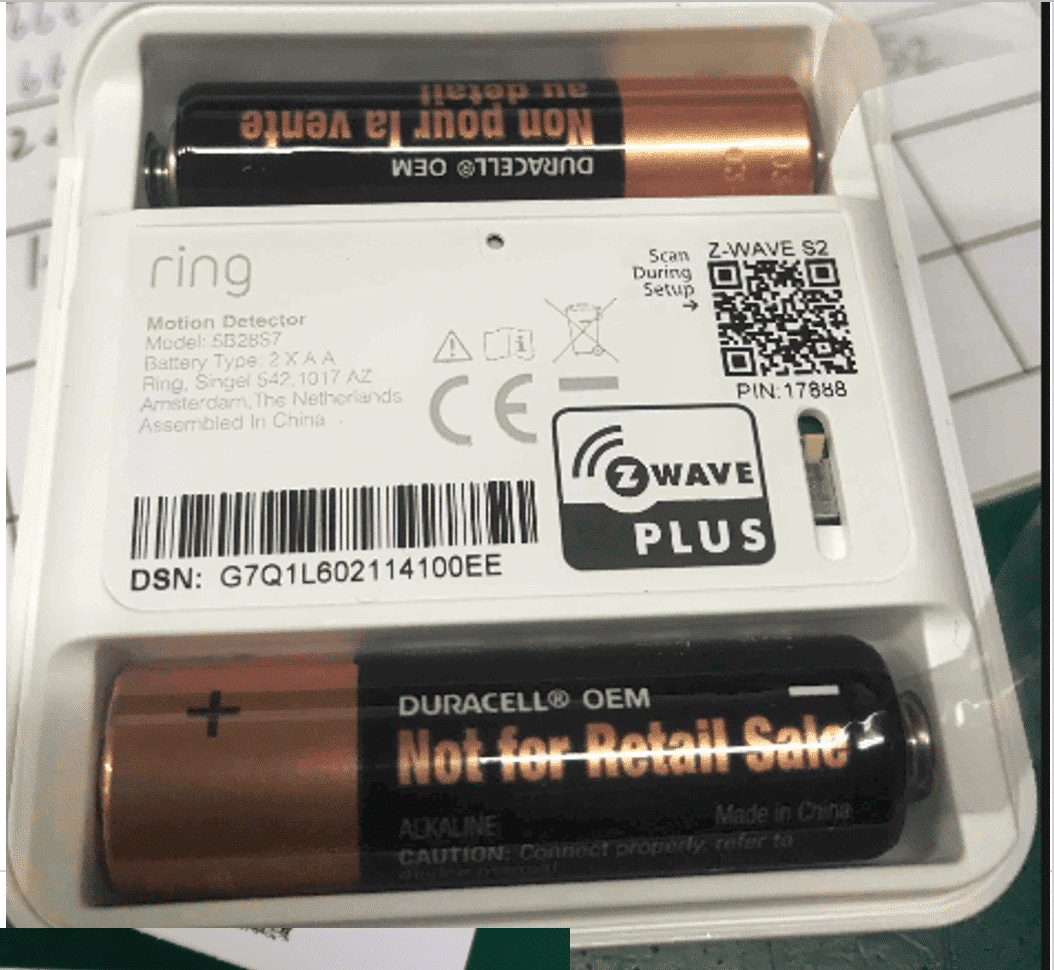
Classic Inclusion Steps: 1. Initiate add flow for Security Devices in the Ring mobile application – Follow the guided add flow instructions provided in the Ring mobile application. 2. Select add manually and enter the 5-digit DSK pin found on the package of the Ring Alarm Glass Break Sensor or the 5-digit DSK pin found under the QR code on the device. 3. After powering on the device, press and hold the setup button on the front for 3 seconds. Release the button and the device will enter Classic inclusion mode
Frequently asked questions
Is the Glass Break Sensor compatible with Home Assistant?
Yes — the Glass Break Sensor works with Home Assistant over Z-Wave via the Z-Wave JS integration. A Z-Wave controller is required.
Does the Glass Break Sensor work with Google Home?
Yes — the Glass Break Sensor works with Google Home via the manufacturer's official cloud integration. Link the brand account in the Google Home app to control it with voice or routines.
Is the Glass Break Sensor compatible with Amazon Alexa?
Yes — the Glass Break Sensor works with Amazon Alexa via the manufacturer's official skill. Enable the skill in the Alexa app and link your account.
What protocol does the Glass Break Sensor use?
The Glass Break Sensor communicates over Z-Wave.
Data: manual
← Back to results