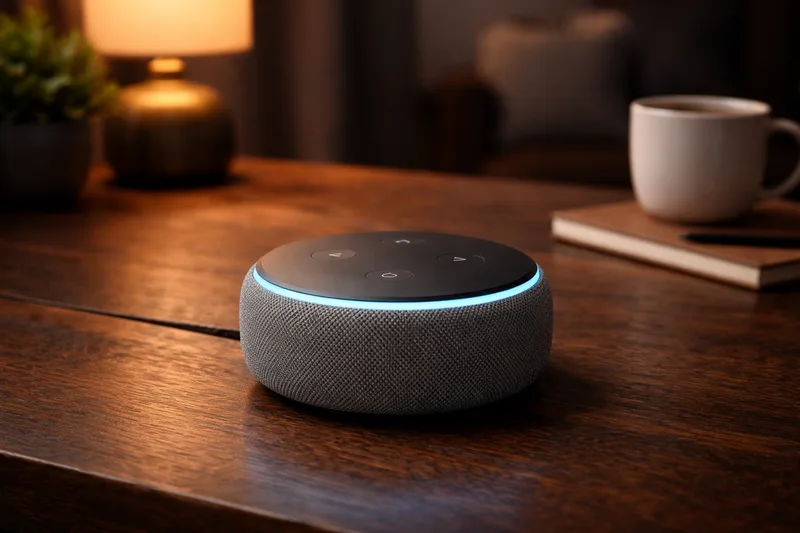
What is Amazon Alexa?
Amazon Alexa is Amazon's voice assistant and smart home platform. It powers the Echo family of smart speakers and displays, and can control thousands of compatible smart home devices from hundreds of brands.
You interact with Alexa by speaking to an Echo device ("Alexa, dim the bedroom lights to 40%") or through the Amazon Alexa app on your phone. Alexa also supports routines: automated sequences of actions triggered by a voice command, time, or device state.
How Does Alexa Work?
Alexa is cloud-based. Your voice commands are processed on Amazon's servers, which return the action to your device. This makes setup simple and voice recognition fast, but requires an active internet connection.
Alexa integrates with smart home devices through Skills, add-ons provided by device manufacturers. Many devices also support the newer direct-connect approach via Matter, which means no separate skill needed.
What Can You Do With Alexa?
- Voice control: Control lights, locks, thermostats, plugs, and more by voice
- Routines: Chain actions together. "Alexa, goodnight" can lock the door, turn off all lights, and set the thermostat
- Shopping and reminders: Alexa's broader assistant features (timers, lists, music, shopping)
- Multi-room audio: Synchronise music playback across multiple Echo devices
- Works with: Philips Hue, Ring, TP-Link Kasa, IKEA TRÅDFRI, Sonos, and thousands more
Limitations of Alexa
Alexa's smart home automation is reliable for simple routines but limited for complex conditional logic. Local processing is available for a small subset of devices (Zigbee via Echo 4th gen), but most commands go through the cloud. Privacy-conscious users may prefer a local platform like Home Assistant.
Getting Started with Amazon Alexa
- Get an Echo device: Any Echo speaker or display (Echo Dot, Echo, Echo Show) comes with Alexa built in
- Download the Alexa app: Available for iOS and Android. Sign in with your Amazon account
- Set up your Echo: Follow the in-app instructions to connect your Echo to Wi-Fi
- Enable device Skills: Search for your device brand in the Skills section (e.g. "Philips Hue") and link your account
- Create routines: Go to More → Routines → "+" to automate multiple actions from a single trigger
Tip: The Echo 4th generation has a built-in Zigbee hub, letting you connect Zigbee devices directly without a separate hub. Great for beginners who want Zigbee without extra hardware.