Google Home Compatible Devices
Smart home devices that work with Google Home, Google Nest, and Google Assistant. Every device on this page is confirmed to integrate via Matter, the official Google Home app, or a built-in Google Assistant action. You can control them with the Google Home app or with voice on any Nest speaker or display.
How Google Home compatibility works
Google Home is Google's smart home platform: the app, the speakers (Nest Mini, Nest Audio), the displays (Nest Hub, Nest Hub Max) and the Google Assistant voice service that ties them together. Devices added to Google Home can be controlled by voice, Routines, or via the Home app on Android, iOS or the web.
Google Home pairs with smart home devices in two main ways. The first and easiest is Matter: devices certified to the Matter standard pair locally over Wi-Fi or Thread, no manufacturer cloud account required. Most second-generation Nest Hubs are Matter controllers and Thread Border Routers, so they can act as the brain of a fully local Matter setup.
The second is the classic Works with Google Home / Google Assistant integration model. Vendors connect their cloud to Google's, and you link the brand account in the Google Home app. This works for anything from Wi-Fi smart plugs to robot vacuums, and it is how older devices that pre-date Matter still appear in Google Home.
Native Zigbee or Z-Wave radios are not built into any Google hardware. To use Zigbee or Z-Wave devices with Google Home you need a bridge: the Philips Hue Bridge for Zigbee bulbs, Aqara M2 / M3 for Aqara Zigbee, SmartThings for general-purpose Zigbee/Z-Wave, or Home Assistant with the Google Assistant integration.
Need a Google Home hub or speaker?
Google Nest Hub (Matter controller plus Thread Border Router), Nest Mini, Nest Audio, Nest Wifi Pro.
Browse by protocol
Matter
Add Matter devices directly from the Google Home app, no extra account needed.
2,107 Google Home-compatible Matter devices
Zigbee
Zigbee devices that bridge to Google Home (often via Hue, Aqara, or SmartThings).
1,634 Google Home-compatible Zigbee devices
Z-Wave
Z-Wave devices exposed to Google Home through SmartThings, Home Assistant, or Hubitat.
843 Google Home-compatible Z-Wave devices
Browse by category
Smart lights
2,181 devices
Switches
477 devices
Sensors
378 devices
Smart plugs
328 devices
Door locks
319 devices
Thermostats
221 devices
Blinds & covers
186 devices
Bridges
178 devices
Other
158 devices
Remotes & buttons
59 devices
Fans
41 devices
Robot vacuums
37 devices
Alarms & sirens
12 devices
Water valves
6 devices
Cameras
3 devices
Featured devices
See all 4,584 →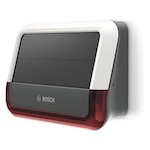
Bosch
Outdoor siren
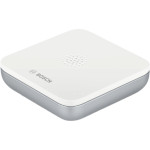
Bosch
Water alarm (formerly known as BWA-1)
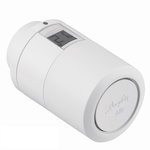
Danfoss
Ally thermostat
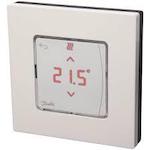
Danfoss
Icon Main Controller with Zigbee Module, Room Thermostat
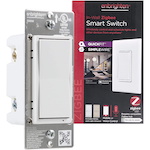
Enbrighten
Zigbee in-wall smart switch
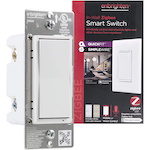
Enbrighten
Zigbee in-wall smart switch with energy monitoring
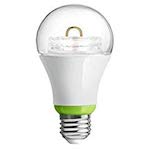
GE
Link smart LED light bulb, A19 soft white (2700K)
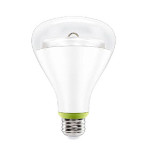
GE
Link smart LED light bulb, A19/BR30 soft white (2700K)
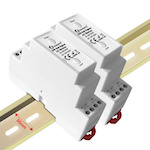
Gledopto
Zigbee DIN Rail triac AC dimmer
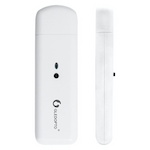
Gledopto
Zigbee RF Hub

Heiman
Smart occupancy sensor
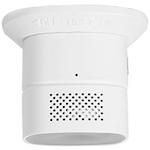
Heiman
Smart carbon monoxide sensor
Frequently asked questions
What devices work with Google Home?
Google Home works with thousands of smart home devices through Matter, native Google Assistant integrations, and the Works with Google Home program. Smart speakers and displays, smart plugs, lights, locks, thermostats, cameras, doorbells and TVs are all well covered. Devices on this page are confirmed to either be Matter-certified (so they work natively) or to have an official Google Home integration.
Do all Matter devices work with Google Home?
Yes, that is the whole point of Matter. Any Matter-certified device can be added to Google Home directly from the Home app using the "+" button. You do need a Matter controller in your home (a Nest Hub 2nd gen, Nest Hub Max, or Nest Wifi Pro), and Thread-based Matter devices additionally need a Thread Border Router (also built into current Nest hardware).
Do I need a Google Nest Hub?
You only need a Nest Hub if you want a Matter controller, a Thread Border Router, or a kitchen display. For voice control alone, a Nest Mini or Nest Audio is enough. To pair Matter-over-Thread devices like locks and battery sensors, you do need a Thread Border Router somewhere on your network. Nest Hub 2nd gen, Nest Hub Max, and Nest Wifi Pro all qualify.
How do I add a smart home device to Google Home?
Open the Google Home app, tap "+" then "Set up device". For Matter devices, choose "New device" and scan the Matter QR code or enter the 11-digit setup code. For non-Matter devices, choose "Works with Google" and pick the manufacturer to link your account.
Can Google Home control Zigbee or Z-Wave devices?
Yes, but only via a bridge. Google's hardware does not contain a Zigbee or Z-Wave radio. To use Zigbee devices, pair them to a Hue Bridge, Aqara hub, SmartThings, Home Assistant or similar. The bridge then exposes them to Google Home. Z-Wave works the same way, typically through a SmartThings or Home Assistant bridge.
Ready to find a specific device?
Search all Google Home-compatible devices